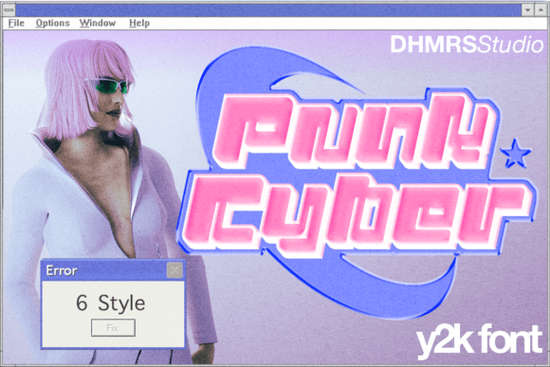
If you’ve been searching for a font that feels like a time machine back to the early 2000s, Punk Cyber Font might be exactly what your next project needs. It’s not just another display typeface it’s built with that unmistakable Y2K energy: bold outlines, slanted edges, and layered effects that scream nostalgia without feeling outdated. Whether you’re designing merch, social posts, or YouTube thumbnails, this family gives you six distinct styles to mix and match.
What makes Punk Cyber different from other retro fonts?
Most retro fonts lean into vintage diner signs or 70s psychedelia. Punk Cyber goes straight for the turn-of-the-millennium aesthetic think CD-ROM interfaces, MySpace headers, and early internet zines. You get:
- Regular – clean but punchy, great for headlines
- Slant – adds motion and attitude
- Outline – perfect for layering or glowing effects
- Extrude – gives depth without needing Photoshop tricks
- Outline Slant and Extrude Slant – for when you want both tilt and texture
This flexibility means you can create contrast within a single design say, pairing the solid Regular with the airy Outline Slant for a dynamic poster layout.
Who should actually use this font?
If you run a small apparel brand, make stickers or pins, or sell digital templates on Etsy or Printful, Punk Cyber adds instant personality. It works especially well for:
- Music merch (band tees, album art, tour posters)
- Social media quotes or Reels overlays
- YouTube channel branding (thumbnails, lower thirds)
- Zines, flyers, or event invites with an underground vibe
It’s also surprisingly readable at larger sizes, so don’t feel limited to decorative uses. Try it for bold section headers in editorial layouts or packaging labels where you want to stand out on a shelf.
How does it compare to similar Creative Fabrica fonts?
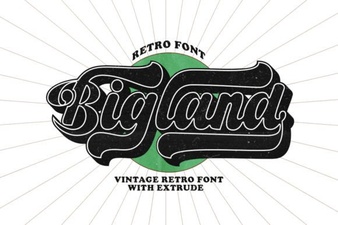
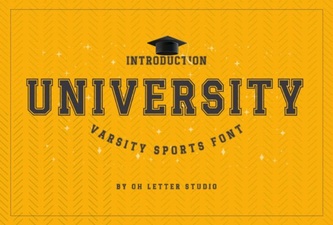
If you liked the playful curves of Bigland Retro, you’ll appreciate how Punk Cyber trades softness for sharper, more angular forms. For something more minimalist but still nostalgic, check out Daily Magnolines. If you need structure with retro flair, University offers collegiate precision, while Elementary Type leans into hand-drawn classroom charm. Each has its place Punk Cyber just happens to own the glitch-core, cyberpunk corner.
Can I use it commercially? What about licensing?
Yes once downloaded from Creative Fabrica, you can use Punk Cyber for personal or commercial projects. That includes physical products (like t-shirts or mugs), digital templates, client work, even merchandise sold on platforms like Redbubble or Society6. Just avoid reselling the font file itself or claiming you designed it. Always double-check the license PDF included with your download for any platform-specific restrictions.
Any tips for getting the most out of these six styles?
A few practical ideas:
- Layer them. Place Extrude behind Regular for instant 3D pop no plugins needed.
- Color matters. Neon gradients or duotones amplify the Y2K feel. Try hot pink + electric blue.
- Mix weights sparingly. Two styles per layout is usually enough. More can look cluttered.
- Pair with a simple sans-serif. Let Punk Cyber headline while a clean body font (like Montserrat or Inter) handles paragraphs.
You can see how the font looks in action over at Punk Cyber Font they’ve got mockups showing real-world applications.
Is this font beginner-friendly?
Absolutely. No special software required install the OTF or TTF files like any other font, and they’ll show up in Canva, Photoshop, Illustrator, Procreate, Silhouette Studio, Cricut Design Space, etc. The styles are intuitive: if you’ve ever used bold or italic variants, you already know how to switch between Regular, Slant, and Outline. Extrude might take a minute to get used to, but it’s essentially a pre-made shadow layer built right into the glyph.
Ready to give it a spin? Start by downloading Punk Cyber Font and testing one style on a simple quote graphic. See how it feels. Then experiment with layering or color. Sometimes the best designs come from playing not planning.
Get Started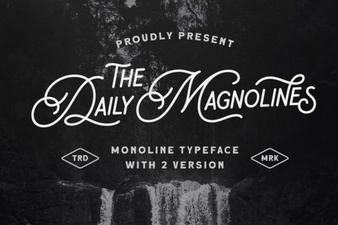 Daily Magnolines Font Download for Design Projects
 Bigland Retro Fonts: Vintage Design Projects & Ideas
 The University Font Design Kit & Project Guide
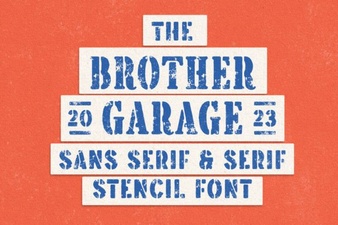 Brother Garage: Free Font for Creative Projects
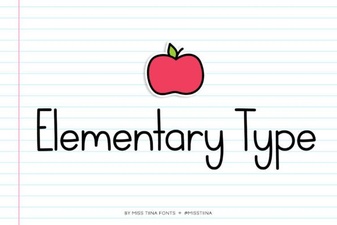 Elementary Type Fonts: Designs & Projects
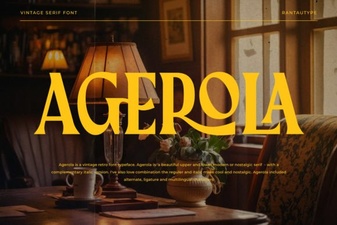 The Agerola Font for Modern Design Projects