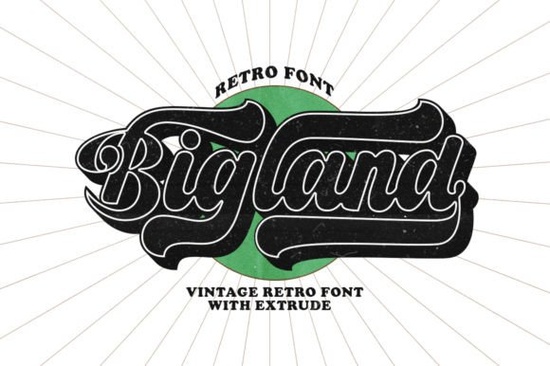
If you’ve been searching for a display font that feels both nostalgic and fresh, Bigland Retro Font might be exactly what your next project needs. It’s got that urban retro vibe think vintage logotype lettering with clean lines and personality to spare. Whether you’re designing merch for print-on-demand, branding a small business, or just playing around with personal crafts, this font slots in without fuss. Plus, it’s PUA encoded, so all those extra glyphs and swashes are ready to use right out of the box, no digging through character maps required.
What kind of projects does Bigland Retro work best for?
This isn’t a font you’d set body text with and that’s okay. It’s built for headlines, logos, packaging, posters, and anything where you want to grab attention with style. Think coffee shop branding, band merch, skate shop flyers, or even retro-inspired wedding invites. The letterforms have enough character to stand alone but won’t clash if layered with simpler sans-serifs or script fonts.
If you like the boldness of Punk Cyber but want something less aggressive, or if Brother Garage feels too rugged for your vibe, Bigland Retro sits nicely in between stylish but not overwhelming. It pairs especially well with minimalist layouts or textured backgrounds that let the lettering breathe.
How easy is it to access all the special characters?
One of the quiet wins with Bigland Retro is its PUA encoding. That means whether you’re working in Illustrator, Photoshop, Canva, or even Silhouette Studio, you can access alternate glyphs, swashes, and stylistic sets without jumping through hoops. No need to install multiple font files or toggle obscure settings just select the font, and the extras show up in your glyph panel or via OpenType features.
For crafters using cutting machines or print-on-demand platforms, this is a big deal. You’re not stuck with basic A-Z. Want a swoopy tail on your “R” or a chunkier version of your “G”? You’ve got options. And because everything’s mapped properly, there’s no weird substitution or missing characters halfway through your design.
A few pairing ideas:
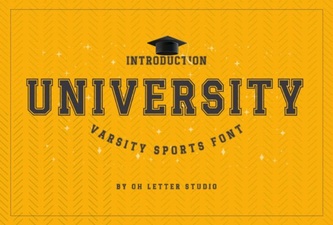
- Try it with University for a collegiate-meets-streetwear look.
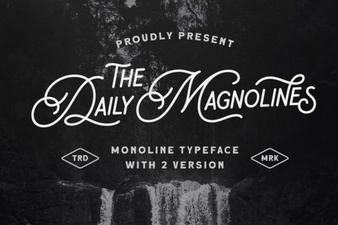
- Layer it over photos with Daily Magnolines as a supporting script for contrast.
- Use Elementary Type for body copy if you’re building a full brand kit clean, readable, and doesn’t fight for attention.
Is this font beginner-friendly?
Absolutely. Even if you’re new to design software or just getting into typography, Bigland Retro doesn’t require advanced skills to make it look good. The letter spacing is balanced by default, and the weight is consistent enough that you don’t need to tweak kerning on every pair. Just type your word, maybe bump the tracking slightly if it feels tight, and you’re golden.
That said, if you do know your way around OpenType features, you’ll appreciate how much depth there is. Stylistic alternates let you customize the look per letter, and the swashes can be toggled on or off depending on how ornate you want to go. It’s flexible enough for quick social media graphics but detailed enough for professional packaging or signage.
Where can I see more examples or try it out?
You can preview and download Bigland Retro Font directly from Creative Fabrica. They often include mockups, usage guides, and sometimes even bonus graphics or templates depending on the bundle. If you’re subscribed to their all-access plan, it’s included which makes experimenting with it totally risk-free.
Before you commit, check out how it renders at different sizes. Some retro fonts lose clarity when scaled down, but Bigland holds up surprisingly well even at smaller headline sizes (think 24pt+). For merch or apparel, test it on dark and light backgrounds the solid weight helps it pop without needing outlines or shadows.
Quick checklist before you start designing:
- Install the OTF or TTF file either works, but OTF usually gives you better OpenType support.
- Open your glyph panel that’s where the alternates and swashes live.
- Test readability especially if using for storefront signs or product labels.
- Pair with a simple secondary font let Bigland shine as the hero, not the whole cast.
- Save a styled version once you’ve picked your alternates, save that combo as a preset or style for reuse.
And if you’re still browsing, don’t sleep on similar vibes: Punk Cyber for edgier projects, or Daily Magnolines if you need something softer to balance Bigland’s boldness. Each one brings its own flavor, but they all play nice together when you’re building layered designs.
Try It Free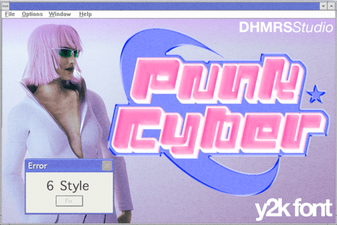 Cyberpunk Fonts for Digital Designers & Creatives
 Daily Magnolines Font Download for Design Projects
 The University Font Design Kit & Project Guide
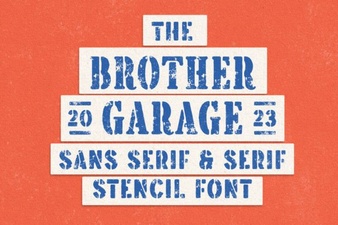 Brother Garage: Free Font for Creative Projects
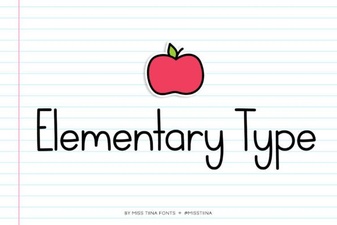 Elementary Type Fonts: Designs & Projects
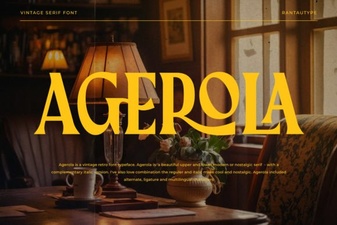 The Agerola Font for Modern Design Projects