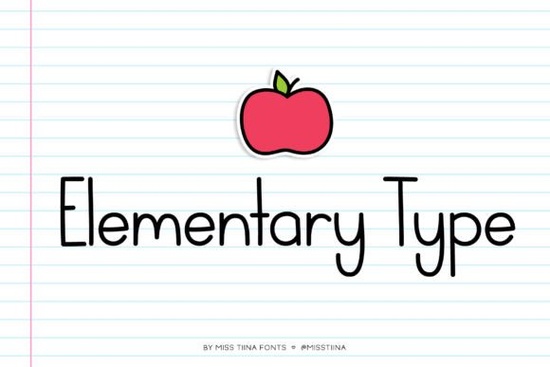
If you’re putting together materials for kids whether it’s classroom handouts, storybooks, or planner stickers the Elementary Type Font is one of those tools that just feels right. It’s got a cheerful bounce to it, like crayon letters drawn with care, and it doesn’t take itself too seriously. That’s exactly what makes it so useful for teachers, homeschoolers, small stationery shops, and print-on-demand creators who want their designs to feel warm and approachable.
What sets this font apart isn’t just its rounded, friendly letterforms though those are delightful but the fact that it comes with 10 bonus doodles. Think stars, pencils, apples, and little animals tucked right into the character set. You don’t need to layer clipart or hunt for matching icons. They’re built in, ready to drop into your next Canva layout or Silhouette project.
Who actually uses Elementary Type?
It’s not just for kindergarten teachers (though they’ll love it). Here’s where you’ll see it shine:
- Teachers making worksheets, flashcards, or classroom decor
- Children’s book illustrators looking for a handwritten-but-legible title font
- Planner designers adding cute section headers or motivational quotes
- Etsy sellers creating printable wall art, chore charts, or birthday invites
- Small businesses branding kid-focused products like lunchboxes, growth charts, or learning apps
And because it’s a display font, you won’t be setting paragraphs in it but that’s fine. Its job is to grab attention in a sweet, non-intimidating way. Pair it with something clean and simple like University for body text, and you’ve got contrast without chaos.
How does it compare to other playful fonts?
There’s no shortage of “kid-friendly” fonts out there. Some lean into scribbly chaos (Punk Cyber has energy, but maybe too much for storytime). Others feel stiff or overly digital. Elementary Type lands in that sweet spot intentional, crafted, but still full of personality.
Compare it to Brother Garage, which has a rougher, marker-drawn edge, or Bigland Retro, which leans vintage. Elementary Type doesn’t try to be edgy or nostalgic. It’s just… happy. The kind of font that makes a math worksheet feel less like homework and more like an adventure.
Can I use it for commercial projects?
Yes and that’s a big deal if you’re selling printables, POD shirts, or classroom bundles. Creative Fabrica’s standard license covers most small business uses, including physical and digital products. Just avoid reselling the font file itself or using it in logos for huge corporations (check their license page if you’re unsure).
One thing users appreciate? No weird installation issues. The files come in OTF, TTF, and WOFF formats, so whether you’re working in Adobe Illustrator, Procreate, or even basic word processors, it’ll behave. And if you ever get stuck, Creative Fabrica’s support team actually replies which isn’t something you can say about every font marketplace.
Any tips for getting the most out of it?
A few practical ideas:
- Use the doodles as bullet points in lists or checklists way cuter than dots or dashes.
- Try all-caps for titles the spacing holds up well, and it reads clearly even at smaller sizes.
- Layer with watercolor textures or soft pastel backgrounds to enhance the handmade vibe.
- Avoid heavy outlines or shadows the charm is in its simplicity. Let it breathe.
If you’re curious how others are using it, search for Elementary Type Font on Creative Fabrica. You’ll find mockups of teacher planners, baby shower invites, and even fabric patterns proof that it’s flexible beyond the classroom.
Is it worth buying if I already have similar fonts?
Maybe. If your current “cute” fonts feel overused, generic, or hard to read at small sizes, Elementary Type might be the refresh you need. It’s not trying to be quirky for the sake of it. Every curve feels considered like someone actually sat down with a pencil and thought, “How would a thoughtful kid write this?”
And those doodles? They’re not afterthoughts. They’re perfectly scaled and styled to match the font’s weight and mood. That kind of cohesion saves time and elevates your final product whether that’s a $3 printable or a full curriculum package.
Still on the fence? Check out the preview tool on the product page. Type in your own words, play with sizing, and see how it feels. Sometimes the best way to know if a font “clicks” is to just try it with your actual content.
Next step: Open your current project the one with the placeholder text and test Elementary Type in the headline or title spot. Does it make you smile? Does it fit the tone you’re going for? If yes, you’ve probably found your new go-to for anything meant to feel gentle, encouraging, and just a little bit magical.
Try It Free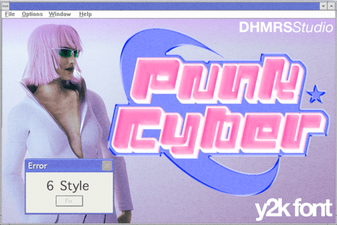 Cyberpunk Fonts for Digital Designers & Creatives
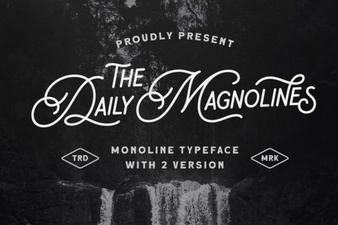 Daily Magnolines Font Download for Design Projects
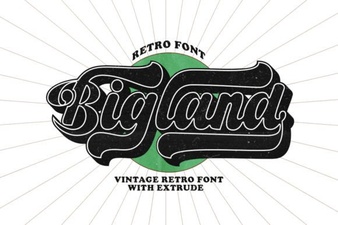 Bigland Retro Fonts: Vintage Design Projects & Ideas
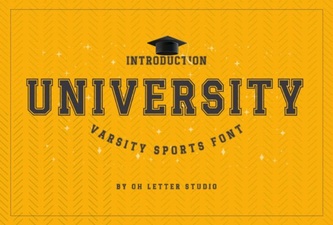 The University Font Design Kit & Project Guide
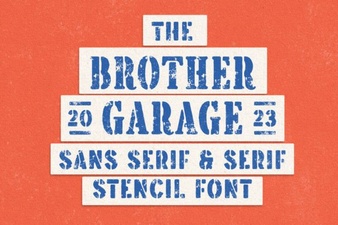 Brother Garage: Free Font for Creative Projects
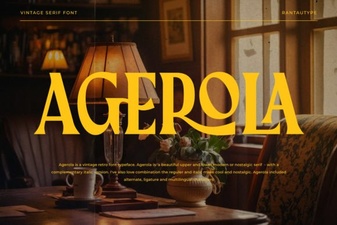 The Agerola Font for Modern Design Projects