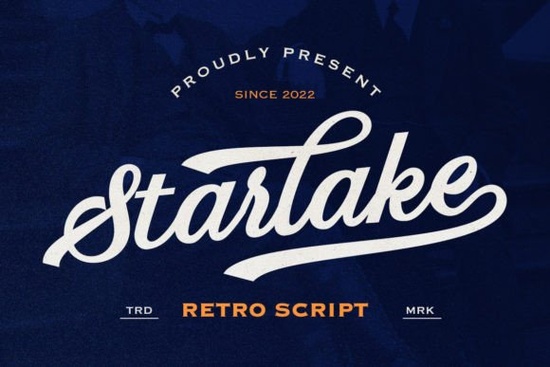
If you’re looking for a script font that brings retro charm without feeling overdone, Starlake - Retro Script Font is worth a closer look. It’s got personality think smooth curves, playful swashes, and enough alternate characters to keep your designs from looking repetitive. Whether you’re designing a vintage-inspired logo, custom t-shirt, or packaging for a small batch product, this font adds character without overwhelming the layout.
What makes Starlake stand out is how it balances flair with function. The ending swashes aren’t just decorative they help reinforce that nostalgic 70s or 80s diner vibe, depending on how you pair it. And because it supports multilingual characters, you don’t have to worry about swapping fonts if your audience reads more than one language. That’s especially handy if you’re selling internationally or creating bilingual branding.
Who should use Starlake?
This font works well for:
- Small business owners wanting to add retro appeal to their shop signs, labels, or social media graphics.
- Print-on-demand sellers who need something eye-catching but not too busy for apparel or mugs.
- Crafters and hobbyists making custom stickers, invitations, or wall art with a handmade feel.
- Graphic designers looking for a script that doesn’t require heavy kerning or manual adjustments.
It’s also surprisingly versatile. Try pairing it with a clean sans-serif for contrast, or let it shine solo on a minimalist background. If you like fonts with a similar hand-lettered energy, you might also enjoy browsing Strawberry Smoothie or Bikini Babe both offer that casual, brush-style flow but with different moods.
How many alternates does it really include?
Starlake comes packed with stylistic alternates enough to give each word a slightly different rhythm if you want it. Most letters have at least two versions, and some go up to four. This means you can avoid that “font fatigue” where every ‘e’ or ‘a’ looks identical across a line of text. Design software like Adobe Illustrator or Affinity Designer will let you toggle these easily through OpenType features.
Pro tip: Don’t go overboard. Pick one or two alternates per word to keep things readable. Swapping every character can make your design feel chaotic instead of curated.
Does it work for logos and branding?
Absolutely. The key is scale and spacing. Because Starlake has thin strokes and extended swashes, it’s best used in medium to large sizes think signage, packaging headers, or hero text on websites. Avoid tiny applications like fine print or watermarks; those details will get lost.
For branding projects, consider using Starlake as your display font while choosing something simpler (like a geometric sans) for body copy. You’ll get the retro punch without sacrificing legibility. If you’re exploring other script options for logos, Nadel Script offers a tighter, more modern calligraphy style, while Milk Peach leans into soft, rounded whimsy.
Is it beginner-friendly?
Yes especially if you’re using software that supports OpenType ligatures and alternates (most modern design tools do). Even if you’re new to typography, Starlake’s structure is intuitive. The letters connect naturally, and the swashes are built into specific glyphs rather than requiring manual placement.
If you’re working in Canva or another simplified platform, you might not access all the alternates, but the base font still holds up beautifully. Just be sure to check how your chosen app handles script fonts before committing to complex layouts.
What file formats come with the download?
You’ll typically get OTF, TTF, and WOFF files enough to cover desktop use, web embedding, and most crafting machines. Always double-check the product page for exact specs, but Creative Fabrica usually includes everything you’d need for commercial projects.
And if you’re curious how Starlake compares visually to other retro scripts, take a look at Valencia. It’s got a bolder stroke and tighter spacing, which gives it a more assertive personality great if Starlake feels too delicate for your project.
Before you start designing...
- Test readability Print a sample or view it on mobile. Scripts can look great on screen but fall apart in smaller sizes.
- Pair thoughtfully A strong sans-serif or slab serif keeps the retro vibe grounded.
- Use swashes sparingly One or two per headline is plenty. Too many distract from the message.
- Check licensing Starlake includes a commercial license, but always confirm usage limits if you’re scaling for mass production.
Start simple. Pick one project maybe a product label or Instagram story template and see how Starlake behaves in context. Sometimes the best way to learn a font is by using it, not overthinking it.
Get Started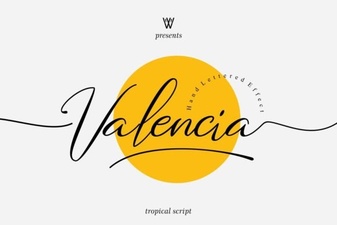 Valencia Font: Elegant Typography for Your Designs
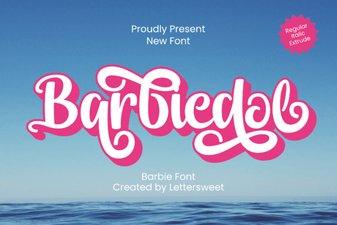 Barbiedol Font: Creative Typography & Project Ideas
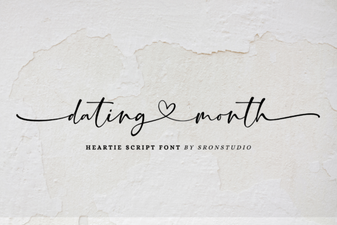 Fresh Font Pairings for Dating Month Designs
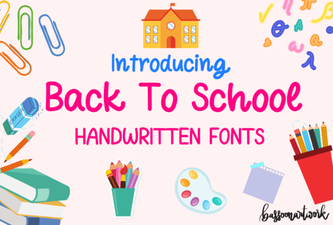 Creative Back-to-School Handwritten Fonts for Your Designs
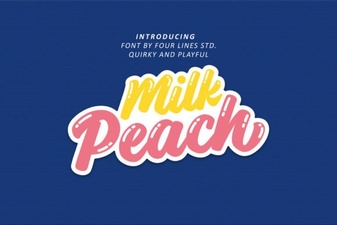 Milk Peach Font for Creative Ui Design
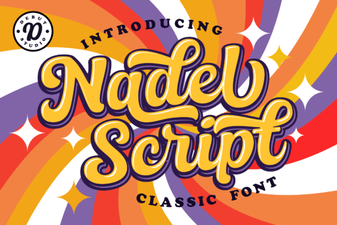 Design with Nadel Script Font