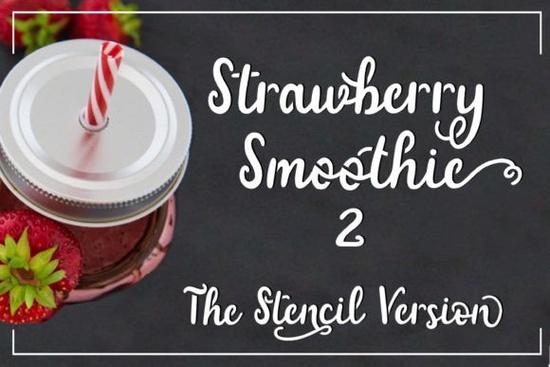
If you’ve been searching for a playful, hand-lettered script that works beautifully for craft projects and print-on-demand designs, the Strawberry Smoothie Font might be exactly what you need. It’s got a relaxed, bouncy feel like handwritten notes on a summer café menu but with one clever twist: every letter has open counters. That means no enclosed shapes, which makes it ideal for stencils, vinyl cutters, or any project where clean cuts matter.
Whether you’re personalizing tote bags, designing wall decals, or creating labels for homemade jams and smoothies (yes, really), this font holds up without fuss. And because it’s a script, it adds warmth and personality without looking overly formal or stiff.
Why does “open counters” even matter?
If you’ve ever tried cutting out a letter like “e,” “a,” or “o” from vinyl or paper, you know the struggle those little enclosed centers tend to fall out or tear. Fonts with closed counters just don’t play nice with physical materials. Strawberry Smoothie avoids that entirely. Every curve is broken just enough to keep everything connected during cutting or painting.
This feature alone makes it stand out among other script fonts like BarbieDol, which leans more toward glam cursive, or Artistic Signature, which mimics elegant pen strokes. Those are gorgeous in their own right, but they’re not built for hands-on crafting the way Strawberry Smoothie is.
What kinds of projects work best with this font?
- Stenciled signs Think farmhouse kitchen quotes, nursery decor, or chalkboard menus.
- Vinyl decals Perfect for water bottles, laptops, car windows, or tumblers.
- Print-on-demand products Use it on mugs, shirts, or stickers where you want that casual, friendly vibe.
- Handmade packaging Jam jars, soap labels, bakery boxes anything that benefits from a cheerful, human touch.
It also pairs surprisingly well with simpler sans-serif fonts if you need contrast try pairing it with something clean like Dating Month for event flyers or invitations. The mix gives your design breathing room while keeping things visually interesting.
Is it easy to use for beginners?
Absolutely. You don’t need fancy software or advanced typography skills. Just install it like any other font, and start typing. Most design platforms Canva, Silhouette Studio, Cricut Design Space, Adobe Illustrator will recognize it right away.
One tip: because it’s a script, avoid using all caps unless you’re going for intentional chaos. Lowercase letters flow together naturally, and that’s where Strawberry Smoothie shines. If you want variety in weight or style, check out Melody Tunes another script with multiple weights that can complement this one nicely in layered designs.
How does it compare to similar fonts?
Compared to other hand-lettered scripts, Strawberry Smoothie sits in that sweet spot between structure and spontaneity. It’s not as rigid as calligraphy fonts, nor as loose as brush scripts. The open counters give it function; the curves give it charm.
Fonts like Artistic Signature feel more refined great for wedding invites or luxury branding. BarbieDol brings drama and flair. But if your goal is approachable, practical, and just a little bit sweet? Strawberry Smoothie delivers without overcomplicating things.
Any tips before you download?
Before you grab it, think about how you’ll use it. Are you making physical products? Digital downloads? Social media graphics? Knowing your end use helps you plan ahead especially if you’re bundling it into commercial templates or POD listings.
Also, remember that while the font is versatile, it’s still a script. Avoid tiny sizes where the details might blur, and always test print or cut a sample before committing to a big batch.
And if you’re exploring options, don’t forget to browse Creative Fabrica’s full script collection sometimes the perfect match is just one search away. You can start with Strawberry Smoothie Font and branch out from there.
Quick checklist before your first project:
- Test scale Print or cut a sample at your intended size.
- Pair wisely Combine with a simple sans-serif for balance.
- Avoid all caps Let the lowercase flow do its thing.
- Check licensing Make sure your usage (personal, commercial, POD) is covered.
Start small, experiment, and let the font’s natural rhythm guide your layout. Sometimes the simplest tools make the biggest impact especially when they’re designed with real-world crafting in mind.
Learn More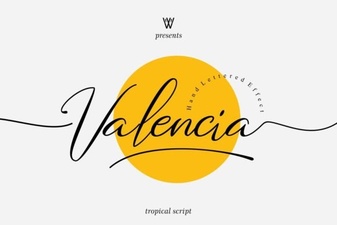 Valencia Font: Elegant Typography for Your Designs
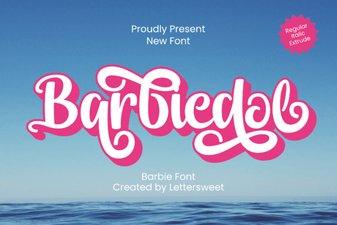 Barbiedol Font: Creative Typography & Project Ideas
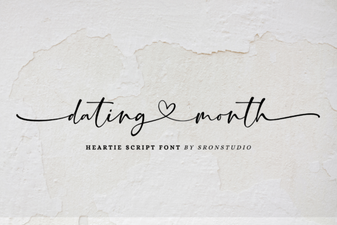 Fresh Font Pairings for Dating Month Designs
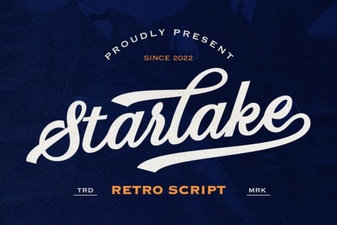 Starlake Script Font for Retro Design Projects
 Creative Back-to-School Handwritten Fonts for Your Designs
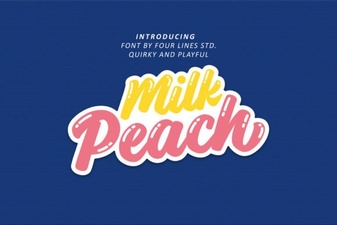 Milk Peach Font for Creative Ui Design