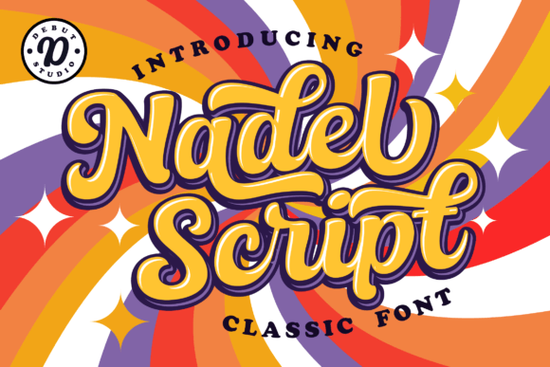
If you’ve been searching for a script font that feels both classic and customizable, Nadel Script Font might be exactly what your next project needs. It’s built with layered features meaning you can add shadows, highlights, or base layers without switching fonts or manually adjusting spacing. Whether you’re designing wedding invitations, branding materials, or printable art, this font adapts smoothly while keeping that hand-lettered charm.
What makes Nadel Script different from other script fonts?
Many script fonts look beautiful but require tedious manual kerning or tracking to avoid awkward letter spacing. Nadel Script handles those adjustments automatically through OpenType features. That means less time fixing gaps between letters and more time focusing on your layout. The design pulls inspiration from early 20th-century calligraphy, so it carries that vintage elegance without feeling outdated.
You’ll also find it works well if you like playing with depth. The layered structure lets you stack variations try a subtle shadow under the main text, or add a highlight layer on top for dimension. It’s especially handy for crafters who work with heat transfer vinyl, sublimation, or digital printables where contrast matters.
Who should consider using this font?
- Small business owners creating logos, packaging, or social media graphics.
- Print-on-demand sellers looking for fonts that stand out on mugs, shirts, or tote bags.
- Wedding stationery designers who want something romantic but not overly ornate.
- Hobbyists making personalized gifts, scrapbooks, or home decor.
If you’ve used fonts like Brittany or Artistic Signature before, you’ll appreciate how Nadel Script offers similar warmth but with more control over styling. And if you’re working on seasonal projects say, back-to-school planners or anniversary cards pairing it with something like Dating Month or Back to School Handwritten can create nice visual contrast.
How do the layers actually work in practice?
Each layer is its own font file Base, Shadow, Highlight but they’re designed to align perfectly when stacked. You don’t need special software; any program that supports layers (like Photoshop, Illustrator, Canva Pro, or Affinity Designer) will handle them. Here’s a simple workflow:
- Type your text using the “Base” version.
- Duplicate that layer and switch the font to “Shadow.” Offset slightly down and right, maybe in a darker tone.
- Add another duplicate, switch to “Highlight,” offset up and left, use a lighter color.
- Group the layers and adjust opacity or blending modes if needed.
This method gives your text real depth without needing drop shadows or manual effects. It’s especially effective on textured backgrounds or when printed on matte paper where subtle gradients make a big difference.
Does it pair well with other typefaces?
Yes and that’s one of its strengths. Because Nadel Script has clean, flowing lines without excessive swirls, it pairs easily with sans-serifs, modern serifs, or even bold display fonts. Try it with a minimalist sans-serif for contrast, or keep things soft by combining it with another handwritten style like Back to School Handwritten for casual projects.
For formal uses think luxury product labels or boutique branding stick with neutral, high-contrast pairings. For playful or personal projects, mix it with quirky companions like Dating Month to balance elegance with personality.
Any tips before you download?
Make sure your design software supports OpenType features if you want the automatic spacing adjustments. Most modern programs do, but if you’re using something basic like Word or older versions of Silhouette Studio, you might need to manually tweak letter spacing in tight spots.
Also, check the license. Creative Fabrica’s standard license covers most commercial uses including POD and client work but always double-check if you’re selling digital templates or embedding the font in apps or games.
Pro tip: If you’re new to layered fonts, start small. Try a quote or short phrase first. Once you get comfortable stacking the layers, you’ll find yourself reaching for Nadel Script again and again not because it’s flashy, but because it just works.
Quick checklist before your first project:
- Install all three font files: Base, Shadow, Highlight.
- Test automatic kerning by typing “VA” or “To” letters should nestle naturally.
- Experiment with layer opacity sometimes 70% shadow looks more natural than 100%.
- Save your favorite layer combos as styles or presets for future use.
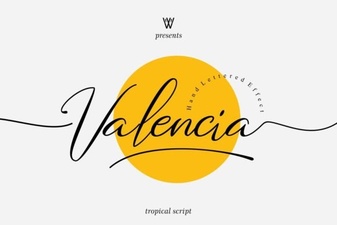 Valencia Font: Elegant Typography for Your Designs
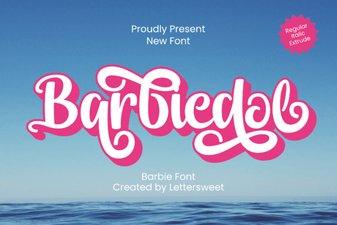 Barbiedol Font: Creative Typography & Project Ideas
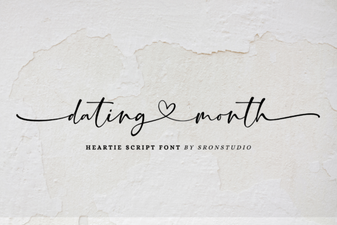 Fresh Font Pairings for Dating Month Designs
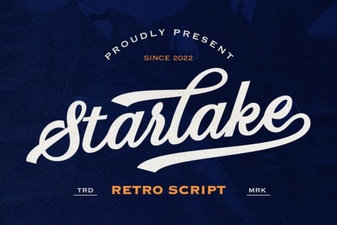 Starlake Script Font for Retro Design Projects
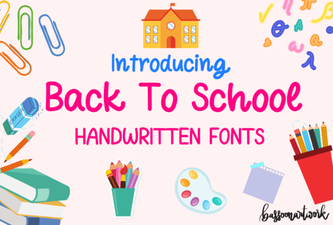 Creative Back-to-School Handwritten Fonts for Your Designs
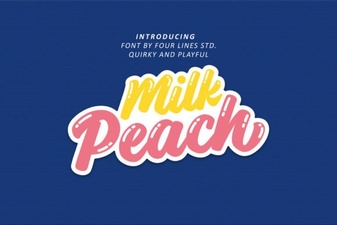 Milk Peach Font for Creative Ui Design