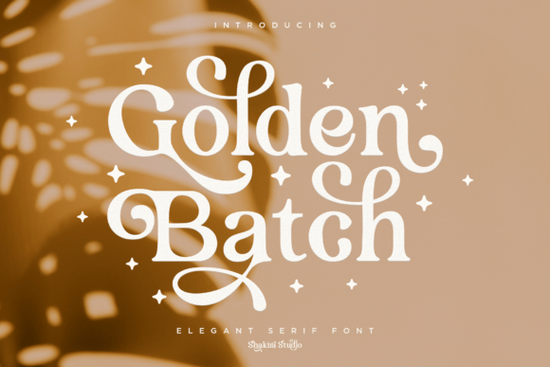
If you’re looking for a serif font that brings warmth and vintage charm to your projects, Golden Batch Font might be just what you need. It’s especially handy if you design wedding invitations, holiday cards, or branding materials that call for something elegant but not overly formal. The curved terminals and contrasting stroke weights give it personality without being distracting perfect for headlines, quotes, or packaging where you want the typography to feel intentional and refined.
What makes this font different from other serifs?
Not all serif fonts are created equal. While some feel stiff or corporate, Golden Batch leans into soft curves and subtle flair. You’ll notice how the letterforms flow together especially when using ligatures, which are built right in thanks to PUA encoding. That means whether you’re working in Canva, Adobe Illustrator, or even Silhouette Studio, you won’t need plugins or workarounds to access special characters or stylistic alternates.
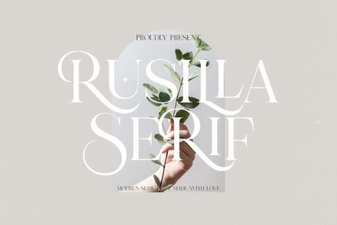
Compare it to something like Agerola, which has more angular serifs and a modern edge, or Rusilla, which feels delicate and script-adjacent. Golden Batch sits comfortably in between polished enough for professional use, but with enough character to stand out on greeting cards or boutique product labels.
Where does this font work best?
You can put Golden Batch to work in lots of places:
- Wedding stationery invitations, menus, place cards
- Holiday designs Christmas cards, New Year banners, Valentine’s Day prints
- Branding logos for bakeries, florists, or handmade goods shops
- Social media graphics quote posts, announcement headers
- Print-on-demand products mugs, tote bags, framed art
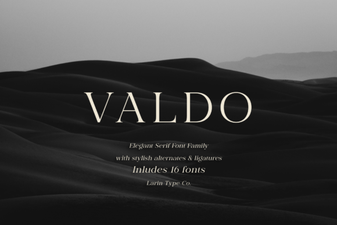
It pairs well with simple sans-serifs for body text, letting the headline do the talking. Try setting it alongside something clean like Valdo for contrast, or layer it over textured backgrounds for that cozy, handcrafted vibe.
How easy is it to use the extra glyphs and ligatures?
Very. Since it’s PUA-encoded, most design programs will recognize the alternate characters automatically. In apps like Photoshop or Affinity Designer, you can open the glyph panel and scroll through swashes, flourishes, or connected letter pairs. Even if you’re not tech-savvy, you’ll find these features intuitive no font manager required.
If you’ve ever struggled with fonts like Sporty Tee, where the distressed texture requires careful spacing or masking, you’ll appreciate how straightforward Golden Batch is. No cleanup, no clipping masks just type and style.
Who should consider downloading this font?
This one’s ideal if you:
- Run a small creative business and need versatile fonts for client work
- Create printable downloads for Etsy or Shopify
- Like to experiment with typography but don’t want to wrestle with complicated files
- Want something that feels elevated but still approachable
It’s also great for hobbyists who make personalized gifts think Mother’s Day cards, anniversary prints, or baby shower decor. The elegance reads as “thoughtful,” not “overdone.”
Any tips for getting the most out of Golden Batch?
A few small tweaks can make a big difference:
- Use tracking (letter-spacing) sparingly tight kerning helps preserve its graceful rhythm.
- Try it in all caps for logos the serifs hold up beautifully at larger sizes.
- Layer with gold foil or embossed effects the name isn’t just marketing; it really does shine in metallic finishes.
- Pair with warm neutrals or deep jewel tones burgundy, olive, cream, or navy let the font breathe without competing.
And if you’re building a font library, consider grabbing Rusilla for script-style moments and Valdo for clean supporting text. Having a few complementary styles on hand makes client projects faster and more cohesive.
Next step: Open your current project whether it’s a flyer, logo draft, or social graphic and drop in Golden Batch for the headline. See how it changes the mood. Sometimes the right font doesn’t shout; it just settles in and makes everything else look better.
Get Started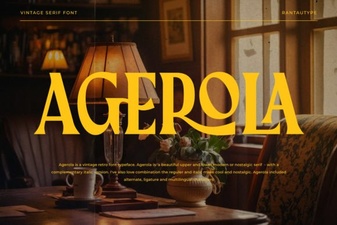 The Agerola Font for Modern Design Projects
 Rusilla Serif Font: Elegant Design Styles & Projects
 The Valdo Font: a Clean, Modern Sans-Serif
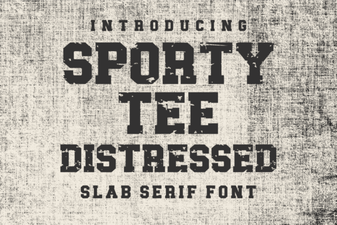 Distressed Font Tee Designs for Sporty Style
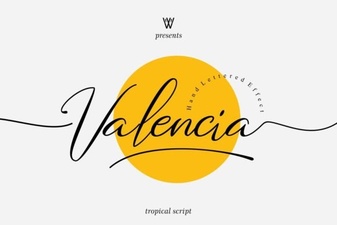 Valencia Font: Elegant Typography for Your Designs
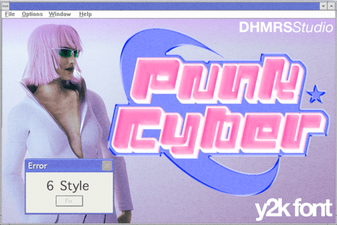 Cyberpunk Fonts for Digital Designers & Creatives